Google Nest Learning Thermostat (4th gen) review: a self-adjusting schedule and Matter support, built around Google Home
A source-based Nest Learning Thermostat (4th gen) review covering Smart Schedule, Matter, remote sensors, Google Home requirements and HVAC compatibility.

Affiliate disclosure: HomeTenet may earn a commission if you buy through links in this article. As an Amazon Associate, we earn from qualifying purchases. Privacy & Disclaimers.
Editorial assessment
The fourth-generation Nest Learning Thermostat is worth considering if you would rather not program a schedule and you already use, or are happy to use, the Google Home app. It builds a schedule from the adjustments you make, comes with one remote temperature sensor, and is Matter-certified, so Apple Home, Alexa and SmartThings can control it too. Google says most homes can install it without a C-wire.
Two things to know before choosing it. Setup and the full feature set live in Google Home; other apps get basic control only. And the included sensor reads temperature but not occupancy, which is the main reason one reviewer still preferred the ecobee Smart Thermostat Premium.
This is a source-based editorial review. HomeTenet has not documented hands-on testing of this thermostat, so we do not publish numerical scores, measured energy savings, sensor accuracy or response times. Figures below are Google's own unless we name another source. Our evidence policy.
Who it suits, and who should skip it
Consider it if you want the thermostat to work out a schedule for you, you use Google Home, or you want a Matter thermostat that also appears in Apple Home or Alexa for everyday temperature changes.
Skip it if you want to run everything from Apple Home alone, you want room sensors that detect whether a room is occupied, or you want the temperature shown on the display at all times. It is also not for line-voltage heating such as electric baseboards; Google lists 24 V systems.
Installation and wiring
Google says the thermostat works with most 24 V systems, including gas, electric, oil, forced air, heat pump and radiant, with up to three stages of heating and cooling and connections for a humidifier, dehumidifier or ventilator. Google Store tech specs.
It has a rechargeable battery and draws power from the system wiring. Google says this means "no C wire required" in most homes, but a C-wire or separately sold Nest Power Connector may be necessary for some systems. Use Google’s compatibility checker with your actual wiring rather than assuming a whole system category requires or avoids one. Google Store product page. TechHive's reviewer went further: the reviewer recommends using an available C-wire for power. If you have an available C-wire, follow Google’s wiring instructions or have an installer assess it.
Both reviews we read described the guided setup in Google Home as easy. TechHive found the wiring-block labels hard to read. These are individual reviewers' systems.
Learning and energy features
Smart Schedule learns the temperatures you choose and when, then either applies changes or suggests them, with a notification in the app. Adaptive Eco picks an energy-saving temperature when the house is empty. Google also lists features that use outdoor conditions and a System Health Monitor that alerts you if heating or cooling seems to be struggling.
How useful the learning is depends on the home. MobileSyrup's reviewer said the outside-temperature learning never worked well in a drafty house, and summed the product up as "a great looking thermostat, but it will work better with modern homes."
Display
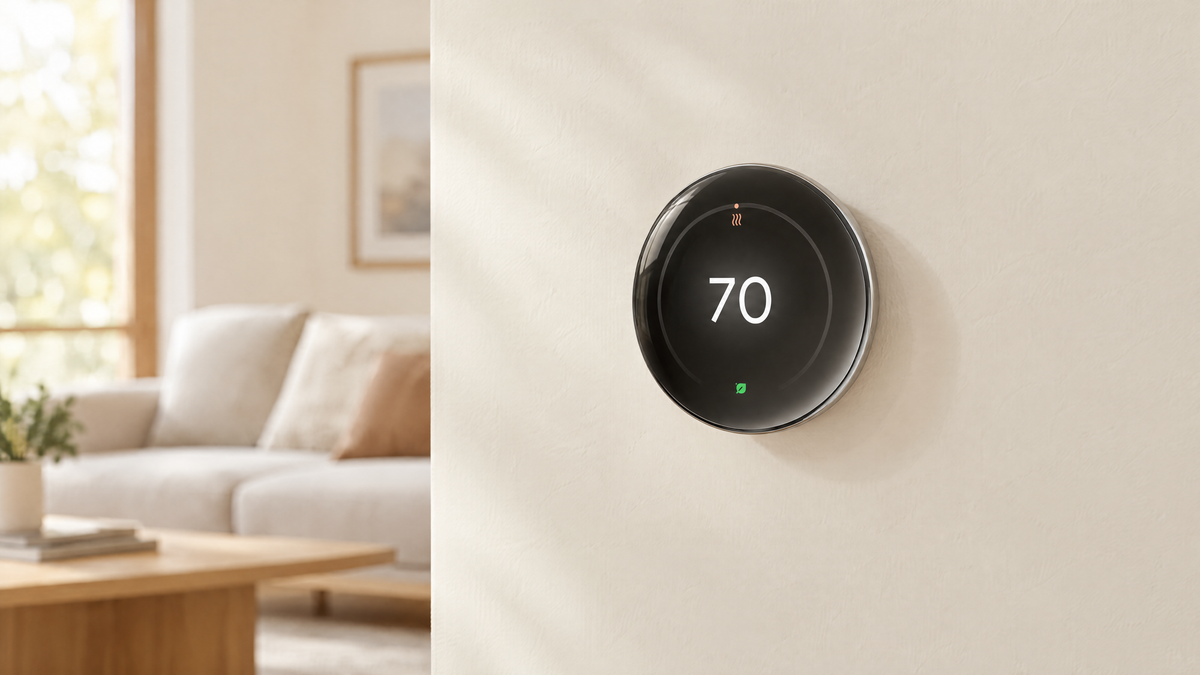
The screen is a 2.7-inch round LCD. Dynamic Farsight changes what it shows based on how far away you are, using a radar sensor Google calls Soli. TechHive liked the display but reported that it cannot continuously show information. If you glance at your thermostat as a clock or temperature readout, that matters.
Room sensor
One Nest Temperature Sensor (2nd gen) is included. Google supports six remote sensors total per thermostat, including the supplied sensor. Google sensor guidance. It measures temperature only. TechHive noted it "isn't as sophisticated as Ecobee's, which also functions as an occupancy sensor." The thermostat itself senses presence; the remote sensors do not.
Ecosystems, Matter and the app
- Google Home: required for installation and setup. 9to5Google reported at launch that this model does not work in the older Nest app, which matters if you are upgrading from an earlier Nest thermostat.
- Matter: Google states the thermostat is Matter-certified and can be controlled from a Matter-compatible app of your choice. 9to5Google reported that Apple Home and SmartThings get basic control such as changing the temperature, while learning schedules and temperature sensors stay in Google Home.
- Apple Home: adding a Matter accessory needs an Apple home hub. Apple's current guidance names HomePod, HomePod mini and Apple TV. Apple: set up a home hub.
- Wireless: Wi-Fi on 2.4 GHz and 5 GHz. Google's spec sheet does not list Thread or Bluetooth.
Energy savings claim
Google advertises savings of up to 31% on heating and cooling bills. Its savings explanation uses an assumed constant 72°F baseline and warns that this comparison may not represent typical customer experience. Google separately reports average savings of 12% on heating and 15% on cooling from real-world Nest thermostat studies; those are not HomeTenet measurements or a promise for this model in your home. Savings depend on climate, equipment and existing habits. Google lists the thermostat as ENERGY STAR certified. HomeTenet has not measured savings.
Long-term support
Smart thermostats depend on their maker's app and servers for remote features. In October 2025 Google ended app and remote support for the first- and second-generation Nest Learning Thermostats, launched in 2011 and 2012, though they continue to work at the wall, according to Google’s end-of-support notice. That is more than a decade of support, and it is also a reminder that connected features have an end date. Google has not published one for this model in the pages we checked.
Privacy
The thermostat senses presence and sends temperature, schedule and usage data to your Google account. Review the Google Home privacy settings during setup. HomeTenet has not audited the device's data handling.
Specifications
| Specification | Nest Learning Thermostat, 4th gen (manufacturer-stated) |
|---|---|
| Display | 2.7 in round LCD, 600 × 600 |
| Size | 3.9 in diameter, 1.1 in deep |
| Colors | Polished Silver, Polished Obsidian, Polished Gold |
| Sensors | Soli radar (presence), temperature, humidity, ambient light |
| Remote sensor | 1 Nest Temperature Sensor (2nd gen) included; up to 6 total supported; temperature only |
| Wireless | Wi-Fi 802.11n, 2.4 GHz and 5 GHz |
| Matter | Certified |
| Setup app | Google Home (required) |
| HVAC | Most 24 V systems; up to 3 heat and 3 cool stages; heat pumps with auxiliary heat; humidifier, dehumidifier or ventilator |
| Power | System wiring with rechargeable battery; C-wire or Nest Power Connector needed for some systems |
| In the box | Display, base, trim plate, steel plate, screws, wiring labels, temperature sensor |
| Warranty | 2-year (retail) |
Sources: Google Store tech specs and Google Store product page.
Strengths and limitations
| Strengths | Limitations |
|---|---|
| Builds and adjusts a schedule for you | Full features only in Google Home; other apps get basic control |
| Matter-certified: works with Apple Home, Alexa and SmartThings | Does not work in the older Nest app |
| One remote temperature sensor included | Remote sensors do not detect occupancy |
| No C-wire needed in most homes, per Google | Some systems need a C-wire or a separately sold adapter |
| Dual-band Wi-Fi | Display cannot stay on permanently, per TechHive |
Frequently asked questions
Does the Nest Learning Thermostat (4th gen) need a C-wire?
Google says most homes do not need one. Some systems may need a C-wire or Nest Power Connector. Check your actual wiring with Google’s compatibility checker and follow its installation instructions.
Does it work with Apple Home?
Yes, through Matter, for basic control such as changing the temperature. You still need the Google Home app to set it up, and an Apple home hub to add it to Apple Home. Learning schedules and the temperature sensor are managed in Google Home.
Can I use the Nest app?
No. This model is set up and managed in the Google Home app.
How is it different from the ecobee Smart Thermostat Premium?
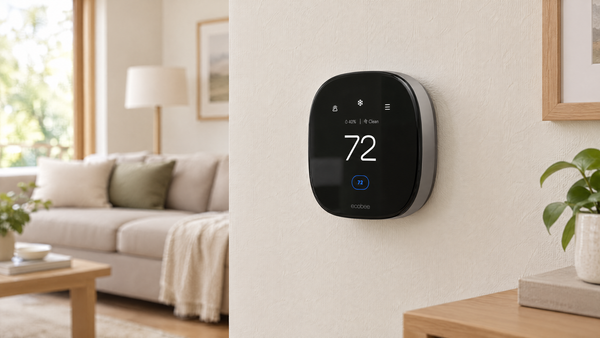
The Nest learns a schedule automatically and is Matter-certified. The ecobee's remote sensor detects occupancy as well as temperature, and ecobee includes a Power Extender Kit for compatible systems without a C-wire. Read our ecobee Premium review. TechHive's reviewer rated the Nest highly but still recommended the ecobee Premium.
Will it really save 31%?
That is Google’s upper-end claim against an assumed constant 72°F baseline, not a typical savings guarantee. Your result depends on your home and habits. Google’s savings methodology.
Retail options
The linked listing is the fourth-generation Nest Learning Thermostat in Polished Obsidian with one second-generation Nest Temperature Sensor. Confirm the selected color, seller and bundle before purchase.
Safety and installation
Turn off power to your heating and cooling system at the breaker before removing an old thermostat. Photograph and label existing wires first. If you see thick wires, wire nuts or a label of 120 V or 240 V, stop and have the wiring assessed: these can indicate line-voltage equipment, which this thermostat is not designed for. Follow Google's instructions and applicable local codes, check your lease before changing a thermostat, and hire a licensed HVAC technician or electrician if you are unsure. Homeowner safety disclaimer.
Changelog
- October 8, 2026: Review written from Google documentation and attributed external reviews. HomeTenet has not tested this thermostat. Added Google’s savings methodology, corrected the six-sensor total, qualified C-wire requirements and linked our published ecobee review.
Questions or corrections: admin@hometenet.com.