Aqara Smart Lock U100 review: Apple Home Key and fingerprint entry, with a hub to plan for
A source-based review of Aqara U100: Apple Home Key, fingerprint entry, emergency access and the separate hub requirements for Aqara, Matter and Apple Home.

Affiliate disclosure: HomeTenet may earn a commission if you buy through links in this article. As an Amazon Associate, we earn from qualifying purchases. Privacy & Disclaimers.
Editorial assessment
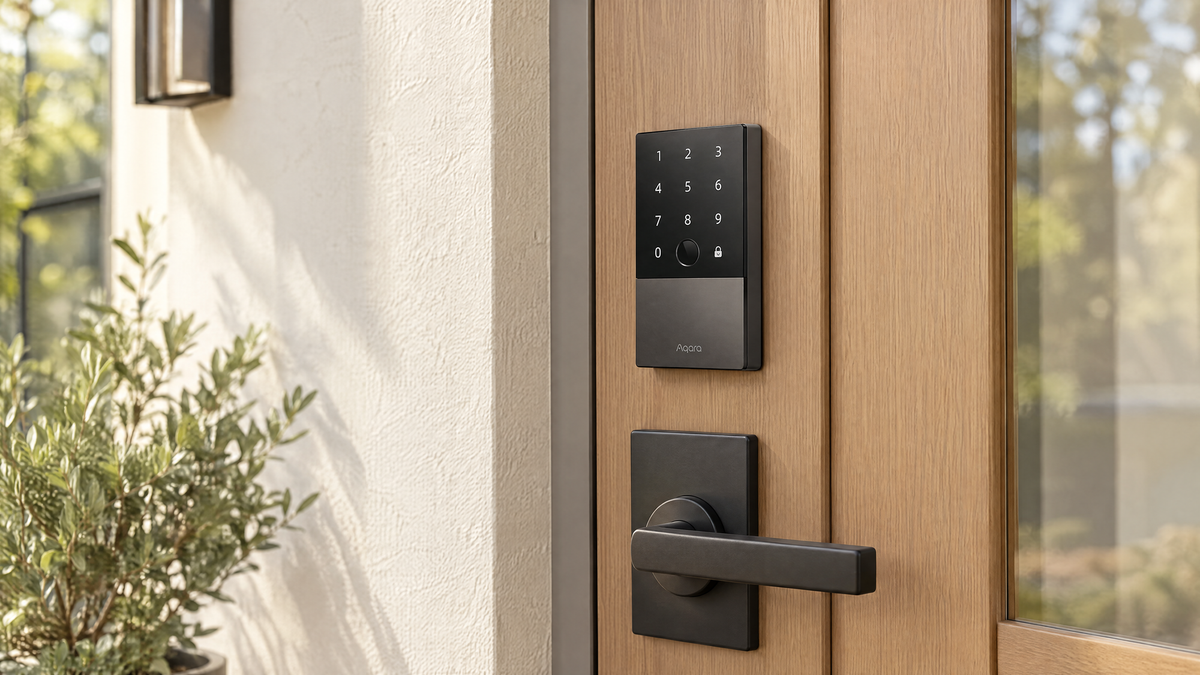
The Aqara Smart Lock U100 is worth considering if you want Apple Home Key and a fingerprint reader on the same deadbolt. It adds a keypad, a physical key and a USB-C emergency power port, so there are several ways in if one fails. The main thing to plan for is the hub: the lock uses Zigbee and Bluetooth, not Wi-Fi or Thread, and an Aqara hub is needed for Aqara remote features and Matter bridging. Apple Home remote access uses an Apple home hub.
This is a source-based editorial review. HomeTenet has not documented hands-on testing of this lock, so we do not publish numerical scores, unlock-time results, success rates or measured power consumption. Figures below are Aqara's own unless we name another source. Our evidence policy.
Who it suits, and who should skip it
Consider it if you use Apple Home, want to tap an iPhone or Apple Watch to unlock, and also want fingerprint entry for people without an Apple device.
Skip it if you want a lock that works remotely with no extra hardware, you want a native Matter-over-Thread lock, or you prefer a slim design. A MacRumors review of a unit supplied by Aqara described a bulky design on both sides of the door.
If Apple Home Key matters more to you than a fingerprint reader, compare the Schlage Encode Plus, which has built-in Wi-Fi but no fingerprint reader. Our smart lock shortlist covers both.
Apple Home Key and fingerprint entry
Home Key adds a digital key to Apple Wallet, and you unlock by holding the phone or watch near the lock. Aqara's user manual lists an iPhone XS or later on iOS 15 or later, or an Apple Watch Series 4 or later on watchOS 8 or later. It also says control away from home needs a HomePod, HomePod mini or Apple TV as a home hub. Aqara U100 user manual (PDF).
Aqara says Home Key works "even when the Apple device is out of power." Treat that as conditional. Apple says power reserve works for up to five hours with some Express Mode keys on iPhone, and is not available if the iPhone has been turned off. Apple's Express Mode guidance. Keep another way in.
For the fingerprint reader, Aqara states a recognition time under 0.5 seconds, a 98.6% recognition rate and storage for up to 50 fingerprints, kept on the lock. Aqara U100 product page. These are manufacturer figures, not HomeTenet measurements. We found no published NFC unlock time in the Aqara documentation we checked. The MacRumors reviewer found fingerprint entry responsive and reported no failed reads; that is one reviewer's experience with one unit.
Connectivity and Matter
The U100 has Zigbee 3.0, Bluetooth 5.0 and NFC. It has no Wi-Fi radio and no Thread radio. Aqara U100 specifications.
What that means in practice:
- Without an Aqara hub: the lock still opens by Home Key, fingerprint, passcode and key. For direct app access without an Aqara hub, Bluetooth range matters. Apple Home remote access is a separate path using a compatible Apple home hub.
- With an Aqara Zigbee 3.0 hub: Aqara says this is required for automations, remote unlock and Matter support. The manual also says Alexa and Google Home need an Aqara hub bound to the lock.
- Matter: the hub acts as a Matter bridge for the lock. This is not Matter over Thread, and the lock is not a Thread device. What a bridged lock exposes can differ by platform: HomeKit News reported in its 2023 review that the lock did not appear in SmartThings or Alexa through the hub's Matter connection at that time. Check current support for your platform before relying on it.
- Apple Home remote access: needs an Apple home hub, as with other Home accessories.
Aqara sells the lock alone (model SDL-D01) and as a kit (DL-D01D) that adds an E1 hub and two NFC cards. Confirm which one a listing contains.
Build and weather resistance
Aqara rates the outer panel IP65 and lists an operating range of -31°F to 150°F (-35°C to 66°C). Both ratings apply to the outer panel only; the inside assembly is not outdoor rated.
Aqara says the lock "complies with the same safety standard as BHMA Level 3." That is the company's wording about a standard, not a published BHMA certification listing that we could confirm, so we would not weigh it like the certified grades Schlage lists for the Encode Plus. No rating guarantees that an installed door cannot be forced or picked.
Battery and emergency power
The lock runs on four AA batteries. Aqara estimates more than eight months at about eight unlocks and auto-locks a day. That is a manufacturer estimate; real life varies with use, temperature and how freely the bolt moves. We found no standby current figure in the Aqara documentation we checked, and we have not measured one. The manual recommends the original or alkaline batteries.
If the batteries die, a USB-C port on the outer panel accepts 5 V power, for example from a power bank, so you can unlock with your usual method. Two mechanical keys are included; the keyhole sits behind a sliding cover.
HomeKit News found the battery cover hard to remove and said the supplied plastic tool broke.
App, passcodes and sharing
The Aqara Home app handles setup, fingerprints and passcodes. Aqara lists permanent, periodic and one-time passcodes, plus an option to pad a code with random digits so onlookers cannot read it. It says one-time codes are generated locally and work if the lock is offline. Auto-lock uses a built-in gyroscope to detect that the door has closed, with no separate door sensor.
HomeKit News recommended doing first setup in the Aqara app, since only that app offers lock calibration. It also noted that scheduled guest codes could not be open-ended at the time, and that only Aqara's own NFC cards are supported.
Specifications
| Specification | Aqara Smart Lock U100 (manufacturer-stated) |
|---|---|
| Model | SDL-D01; kit with E1 hub: DL-D01D |
| Entry methods | Apple Home Key, fingerprint, passcode, Aqara NFC card, app, mechanical key |
| Fingerprints | Up to 50, stored on the lock |
| Wireless | Zigbee 3.0, Bluetooth 5.0, NFC |
| Wi-Fi / Thread | None |
| Matter | Through a Matter-capable Aqara hub (bridge) |
| Ecosystems | Apple Home; Alexa and Google Home with an Aqara hub |
| Power | 4 AA batteries; USB-C 5 V emergency input |
| Battery estimate | More than 8 months at about 8 unlocks a day |
| Weather rating | IP65, outer panel only |
| Operating temperature | -31°F to 150°F (-35°C to 66°C), outer panel only |
| Door fit | Single-cylinder deadbolt; backset 2 3/8 in or 2 3/4 in; door 1 3/8 in to 2 11/64 in thick; 2 1/8 in bore |
| In the box | Lock, 2 keys, 4 AA batteries, screws, installation diagram, manual |
Sources: Aqara product page, Aqara specifications and user manual.
Strengths and limitations
| Strengths | Limitations |
|---|---|
| Home Key and fingerprint entry on one lock | Aqara remote features and Matter need an Aqara hub; Apple Home remote access needs an Apple home hub |
| Several fallbacks: keypad, key, USB-C emergency power | No Wi-Fi or Thread; Matter is bridged, not native |
| Outer panel rated IP65 with a wide stated temperature range | Bulky inside and out, per MacRumors |
| Fingerprints stored on the lock | Security grade is stated as "same standard as," not a listed certification |
| Standard AA batteries | Battery cover reported as hard to remove |
Frequently asked questions
Does the Aqara U100 need a hub?
Not to open the door. Home Key, fingerprint, passcodes and the key work without one. Aqara remote features, Alexa and Google Home require an Aqara Zigbee hub. Matter needs a compatible Matter-capable Aqara hub and controller. Apple Home remote access and automations use an Apple home hub.
Is the U100 a Matter-over-Thread lock?
No. It uses Zigbee and Bluetooth. Matter support comes through a compatible Aqara hub acting as a bridge.
Will Home Key work if my iPhone battery is flat?
Possibly, for a limited time. Apple says power reserve lasts up to five hours for some Express Mode keys and does not work if the iPhone was turned off. Keep a code, fingerprint or key available.
What happens when the lock's batteries die?
Plug a 5 V USB-C source such as a power bank into the port on the outer panel, then unlock as usual, or use the mechanical key.
Is it weatherproof?
The outer panel is rated IP65. The inside assembly is not rated for outdoor exposure.
Retail options
The linked Amazon listing is the gray SDL-D01 lock, with batteries and two keys; its listed contents do not include a hub. Confirm the selected variation, seller and bundle before purchase.
Safety and installation
A smart lock is one part of home security. Check door thickness, backset and strike alignment against Aqara's installation guide before ordering, and confirm the bolt moves freely once fitted. Keep a backup way to enter and watch for low-battery alerts. Preserve a safe exit from inside: follow the manufacturer's instructions and applicable local building and fire codes, and hire a licensed locksmith or installer if you are unsure. No lock guarantees protection against intrusion. Homeowner safety disclaimer.
Changelog
- October 8, 2026: Review written from Aqara documentation and attributed external reviews. HomeTenet has not tested this lock.
Questions or corrections: admin@hometenet.com.
- October 8, 2026, pre-publication check: Replaced the unavailable supplied Amazon ASIN with verified gray U100 listing B0BZSD2L1W (lock only, no hub). Clarified the separate Apple Home and Aqara hub requirements.